
Häufig gestellte Fragen
Is VPN Tracker compatible with Open Core Legacy Patcher (OCLP)?
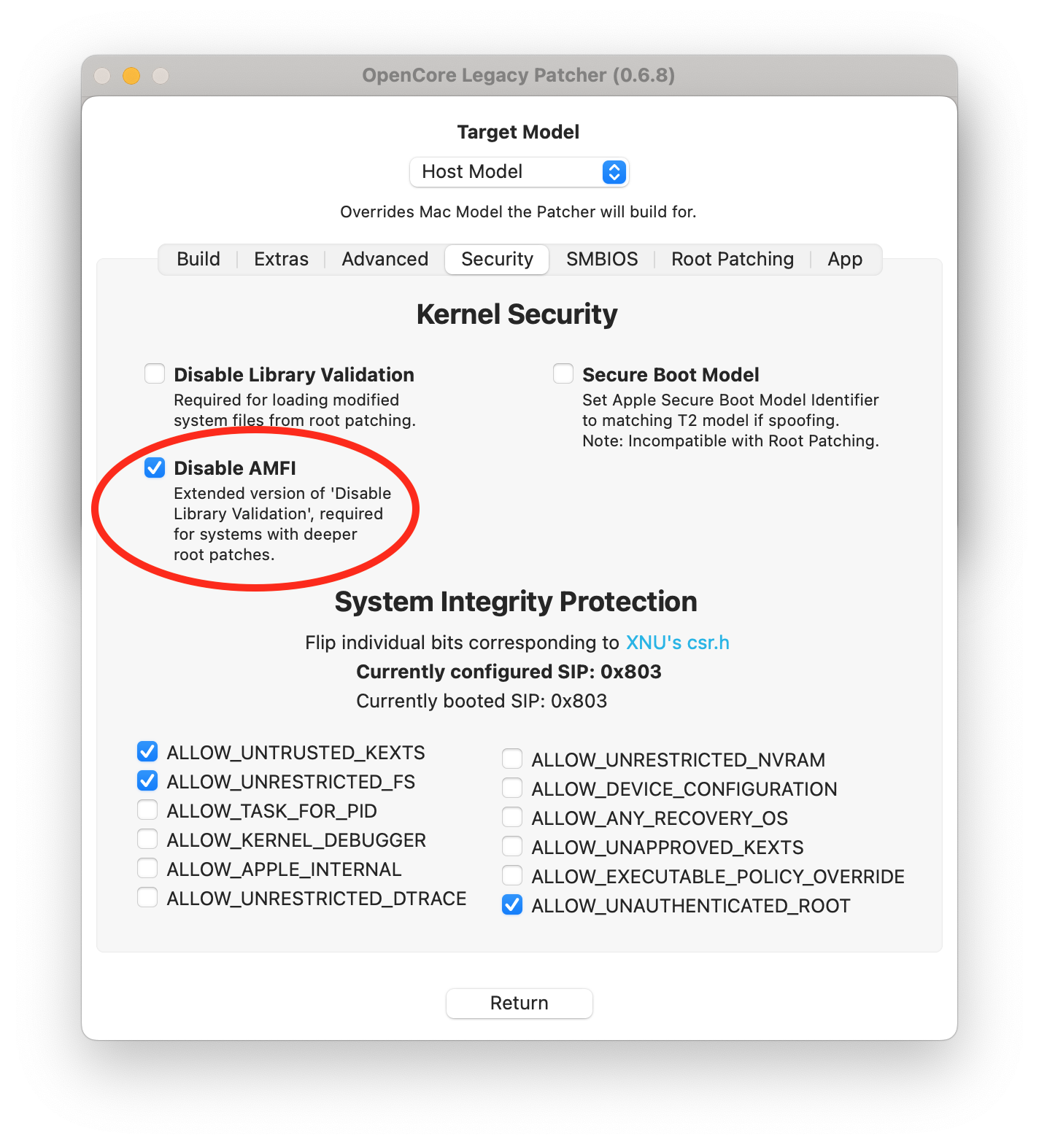
VPN Tracker is generally compatible with Dortania's OCLP project. However, some users report that you have to set the "AMFI" setting to "disable" in order for VPN Tracker to start correctly:
- Get the latest version of the OCLP:
OpenCore Legacy Patcher Releases
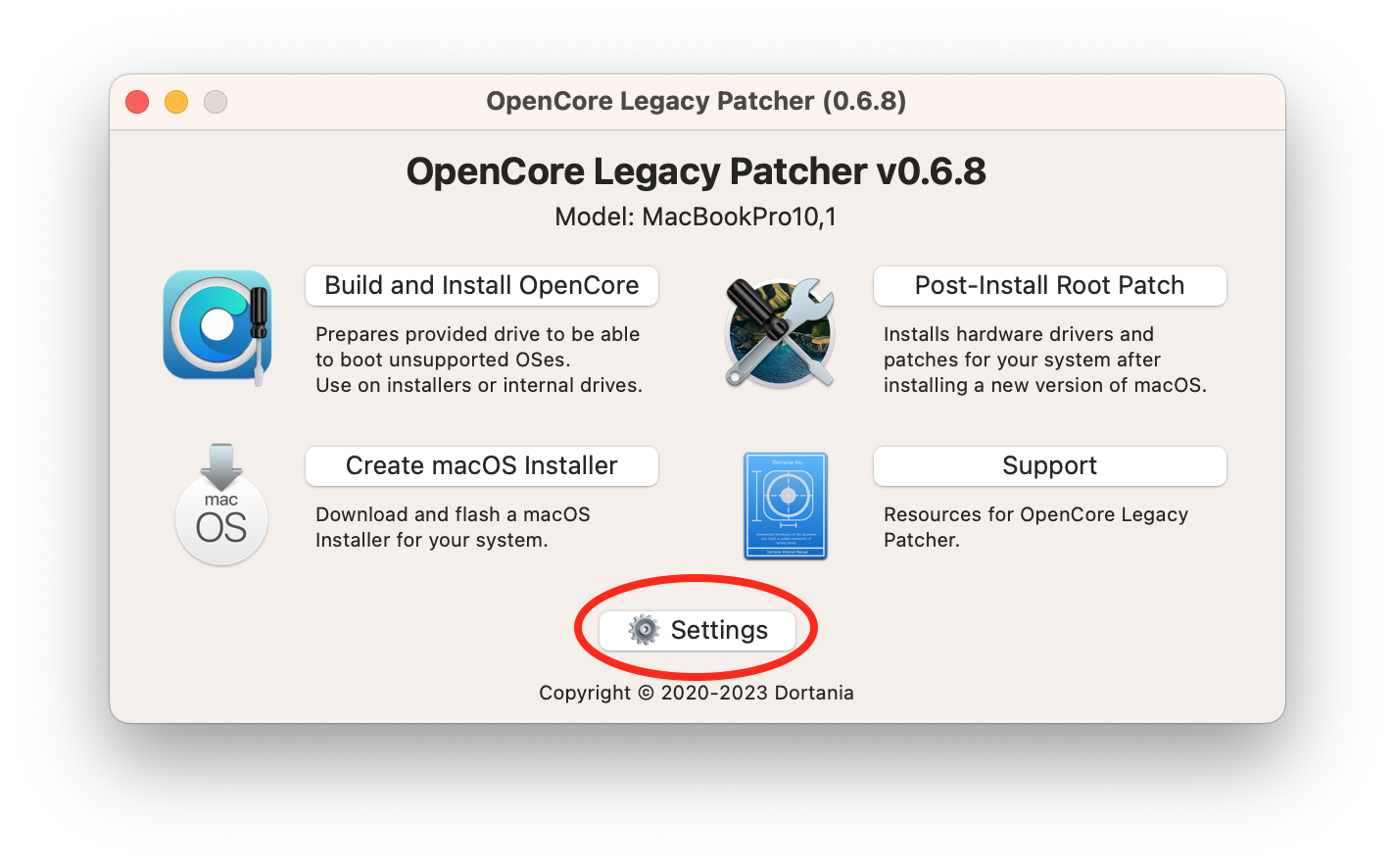
- Start and click Settings:
- Check "Disable AMFI":
- Then select "Post-Install Root Patch" in the main menu and restart the device.